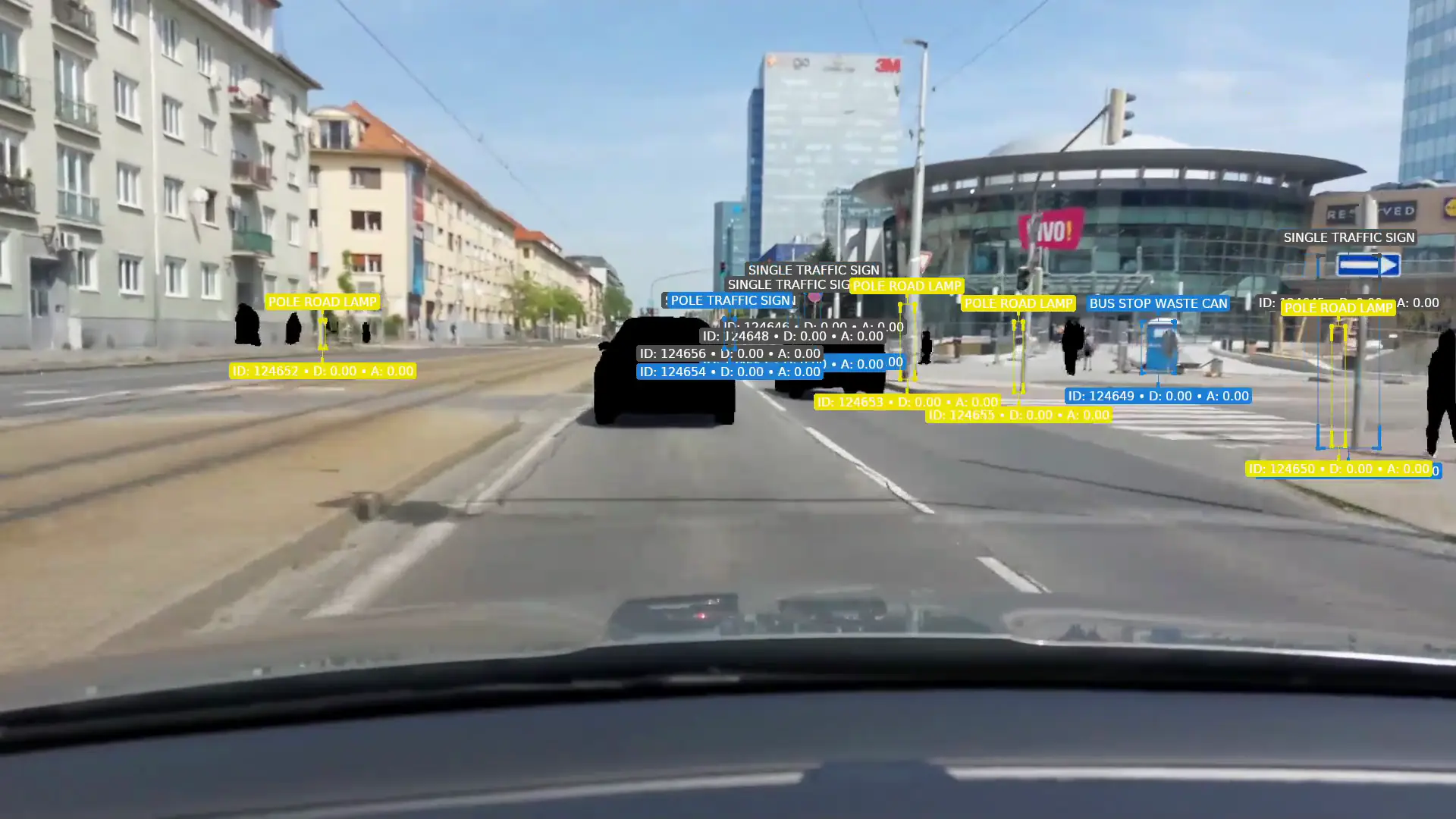
Anonymised for this demo
CAMAN Mobile
A regular view of your roads and public space
CAMAN Mobile records the state of the area you manage on the normal rounds of waste and service vehicles. AI analysis identifies road damage and selected objects in public space. Findings on the map, with their recordings, show managers the places that need attention.
Regular routes
Collected on the route, processed at the depot
The on-board unit stores video together with position and time. When the vehicle is back, the recordings are transferred to the depot for AI processing. Operators then work with the results in the web console.
Collect on the route
Video, position and time on a normal drive.
Transfer at the depot
The stored recordings, over Wi-Fi.
AI analysis
Processed once the vehicle is back.
Review the findings
The map and the recording, in the console.
The regular routes of waste collection vehicles refresh the data during work they already do. CAMAN can also ride on road maintenance vehicles, street sweepers and other service vehicles. No extra drive is needed just to collect recordings; how often the data is refreshed follows the passes of the equipped fleet.
Supported detections
Detections for road and city services
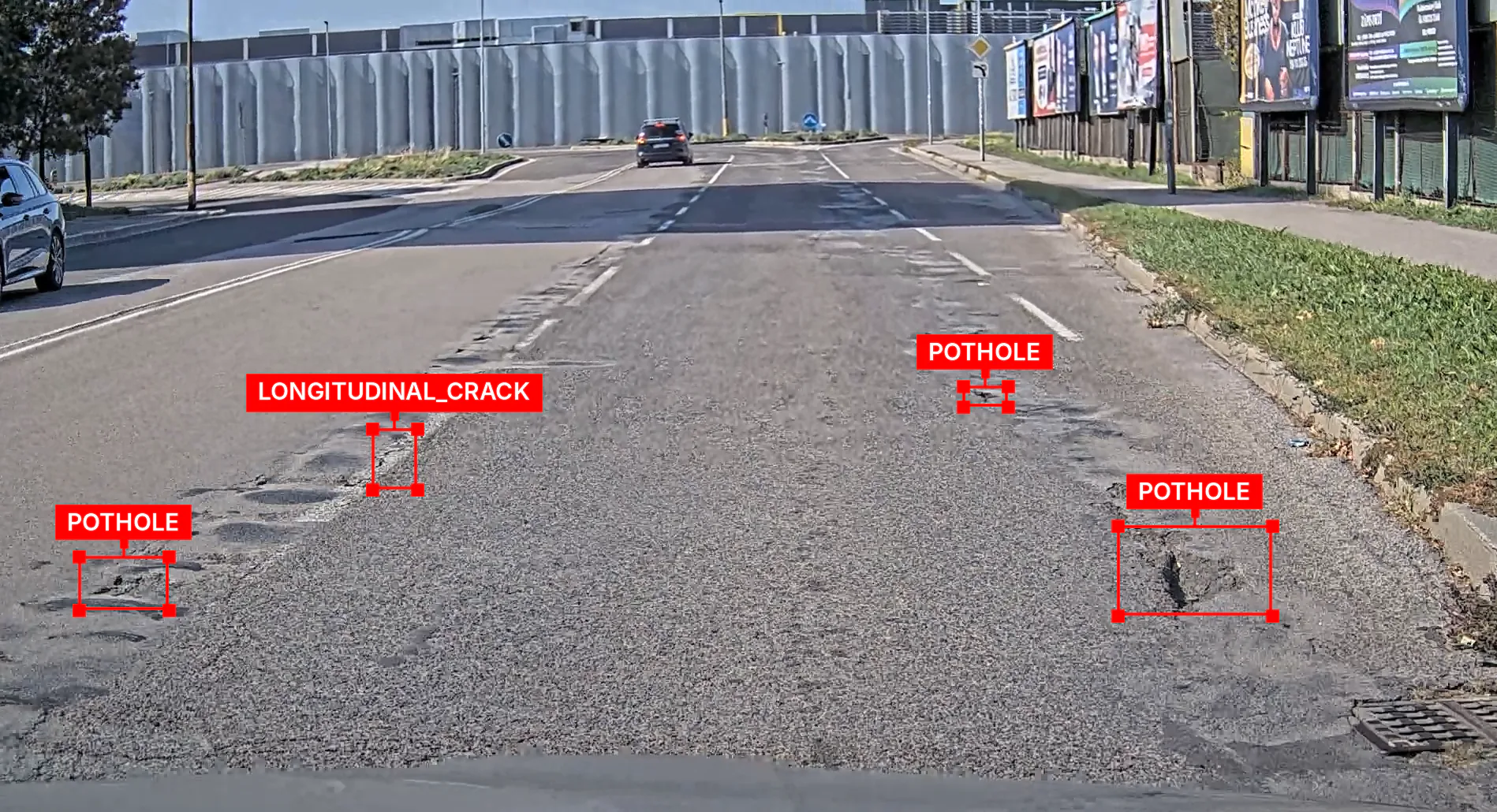
Roads and pavements
Potholes, cracks, surface damage and selected faults of covers and drainage.
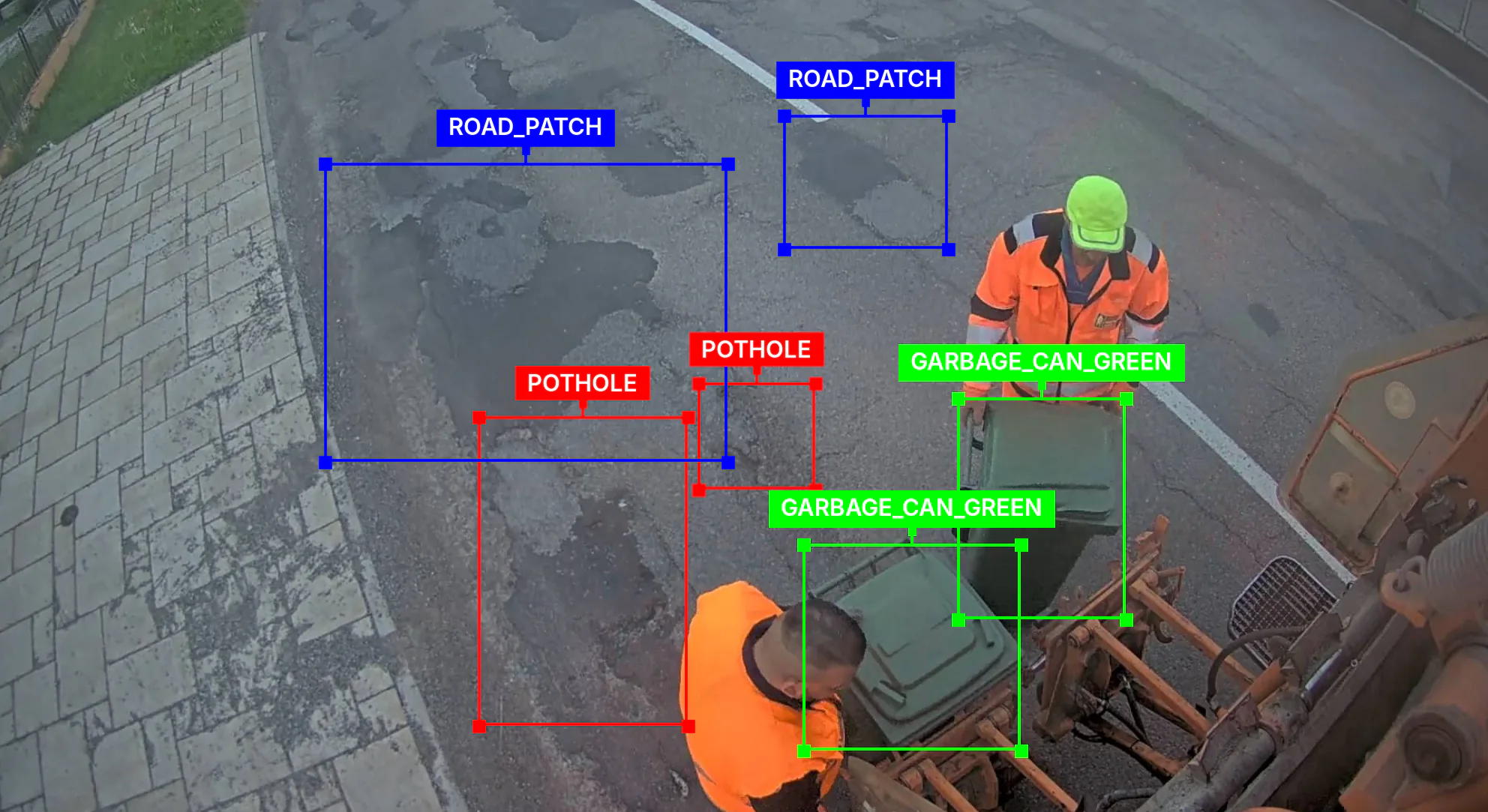
Waste management
Bins, collection points, litter around them and selected situations on the round.
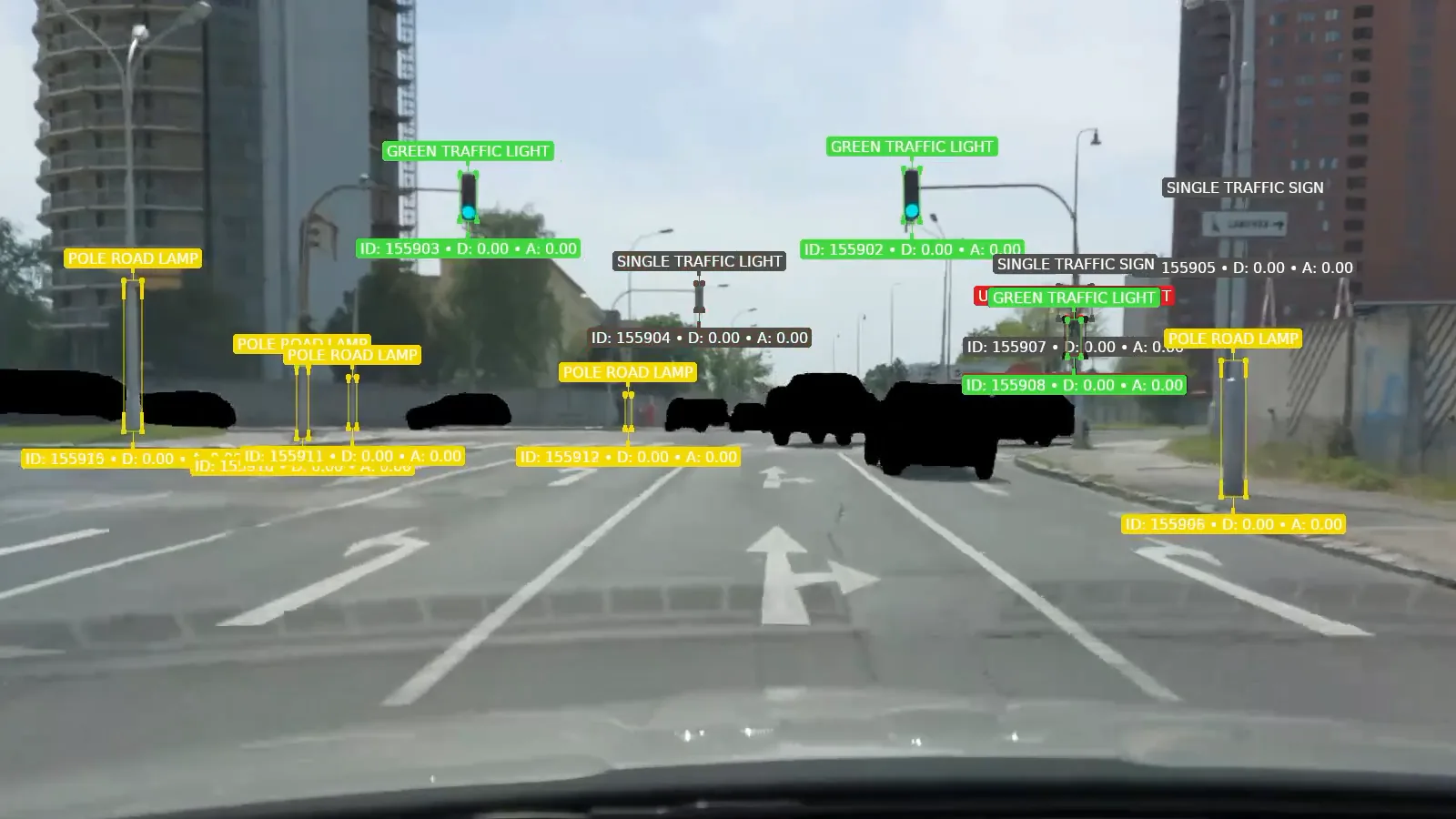
Public space
Traffic signs, lighting, street furniture, greenery and other agreed objects.
In development
Construction activity
Scaffolding, building material and other visible signs of works, as a basis for a check. This detection is in development.
The scope of detections follows what the manager needs and is checked on recordings from the routes in question. For each area we agree whether the system records the object or assesses its condition.
Everything the detector recognises
The detector’s classes as the CAMAN console lists them. The detection categories you use can be chosen individually.
Road · 10
- Large pothole
- Medium pothole
- Small pothole
- Pothole group
- Unclassified pothole
- Road crack
- Road patch
- Open sewer cover
- Closed sewer cover
- Drainage grate
Pavements · 6
- Large pavement pothole
- Medium pavement pothole
- Small pavement pothole
- Pavement pothole group
- Pavement crack
- Pavement patch
Waste · 17
- Blue waste can
- Yellow waste can
- Green waste can
- Brown waste can
- Black waste can
- Tin waste can
- Unclassified waste can
- Blue waste bag
- Yellow waste bag
- Green waste bag
- Brown waste bag
- Black waste bag
- White waste bag
- Unclassified waste bag
- Clean waste stand
- Dirty waste stand
- Illegal dumping
Signs and traffic lights · 9
- Single traffic sign
- Group of traffic signs
- Sign on a post
- Single traffic light
- Group of traffic lights
- Green signal
- Orange signal
- Red signal
- Unclassified signal
Public space · 6
- Street lamp pole
- Bus stop pole
- Open bus stop
- Covered bus stop
- Bus stop waste can
- Graffiti
Greenery · 4
- Tree
- Short grass
- Medium grass
- Tall grass
Finding history
Damage and changes over time
CAMAN links findings from repeated passes and helps avoid duplicate records. For objects on the road surface it uses the vehicle’s position, RTK corrections where available and the camera’s calibration. The recordings of repeated passes let an operator compare the state of a place over time and check the result of maintenance.
First capture
The finding’s position, time and image.
Later pass
The operator compares how the damage has developed, or the state after a repair.
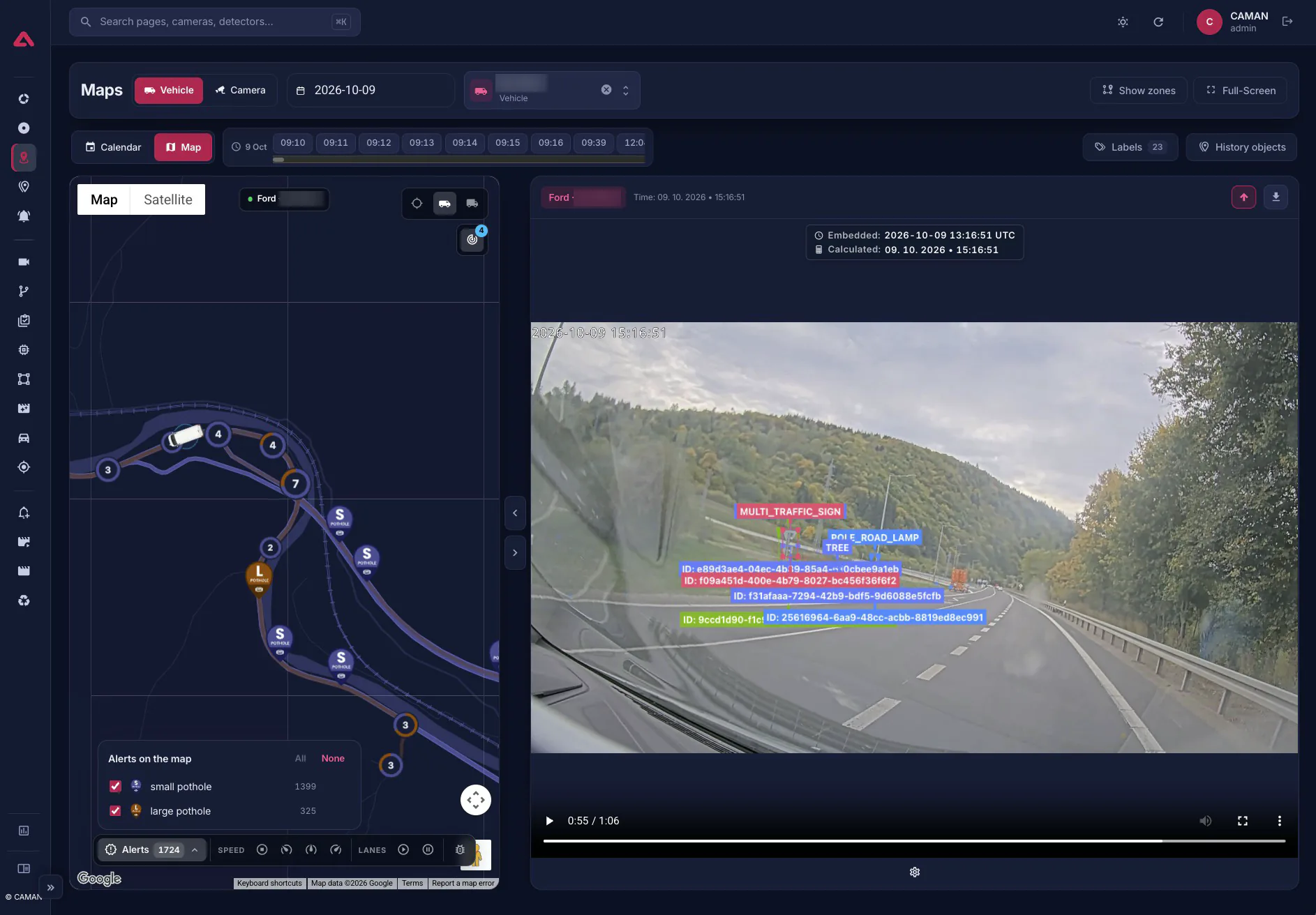
Positions are worked out for objects on the road surface, such as potholes and other road damage. How precise they are depends on the RTK fix and the camera calibration.
Mobile kit
A kit built for work on a vehicle
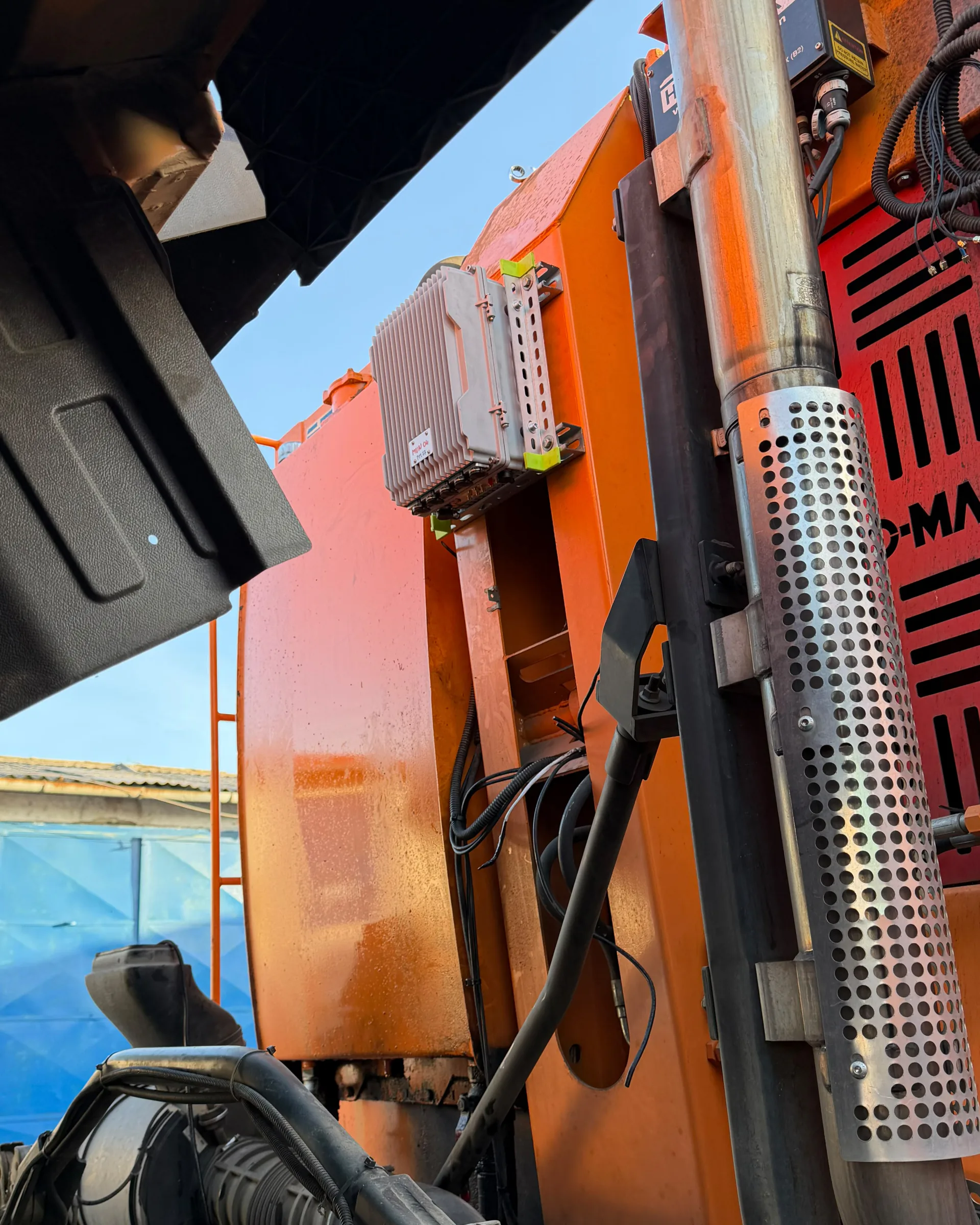
The mobile solution consists of cameras, the CAMAN Main Unit on board, a positioning receiver with RTK support and a battery module. The number and placement of the cameras follow the vehicle and the areas it should capture.
- Cameras
- CAMAN Main Unit
- Position with RTK
- Battery module
Integrations
Findings connected to maintenance and asset management
CAMAN supports integration with GIS, asset registers and maintenance or financial systems. Your organisation can use the findings to plan repairs, estimate costs and prepare work orders. The scope of the connection follows the systems you have and the way each team works.
CAMAN finding
The place and the image.
Operator review
The condition checked.
Maintenance system
Connected the way your organisation works.
Work order
Confirmed findings put to use.
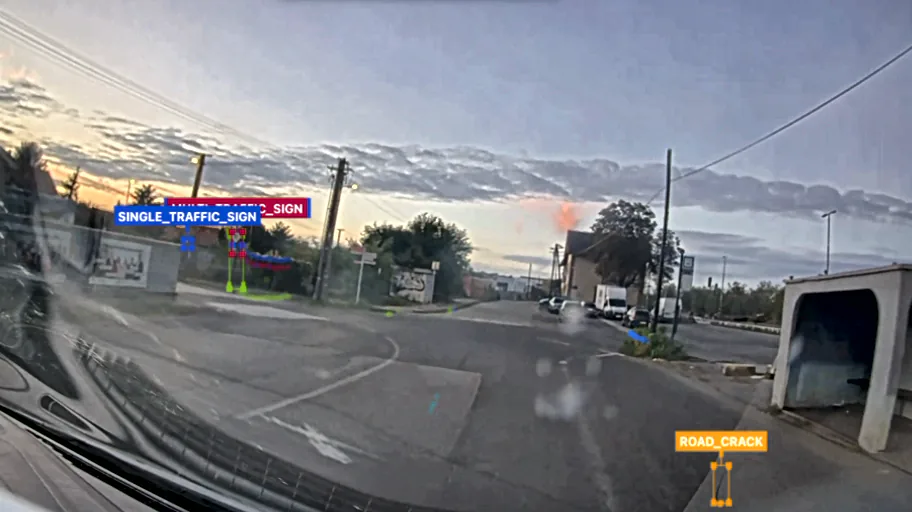
One finding
- Finding
- Road crack
- Where
- Dvojkrížna, Bratislava, with its GPS position
- When
- 9 Oct 2026, 18:25:41
- Evidence
- The frame and the video it was found in
- Source
- Test vehicle, front camera
- Review
- An operator marks it true or false
ThenOn to GIS, asset management or a Digital Twin. Integration is scoped per deployment.
Integration example
A CAMAN finding in GIS and a 3D model
Geolocated findings can be used in GIS, asset registers or a Digital Twin platform. An example from the console and a prototype 3D model shows how the image, the position and the time belong together. The actual interface and the way data is handed over are set for each deployment.
- GIS
- Asset management
- Digital Twin
- Maintenance planning
CAMAN does not replace your GIS or the city’s digital model. Integration is scoped per deployment.
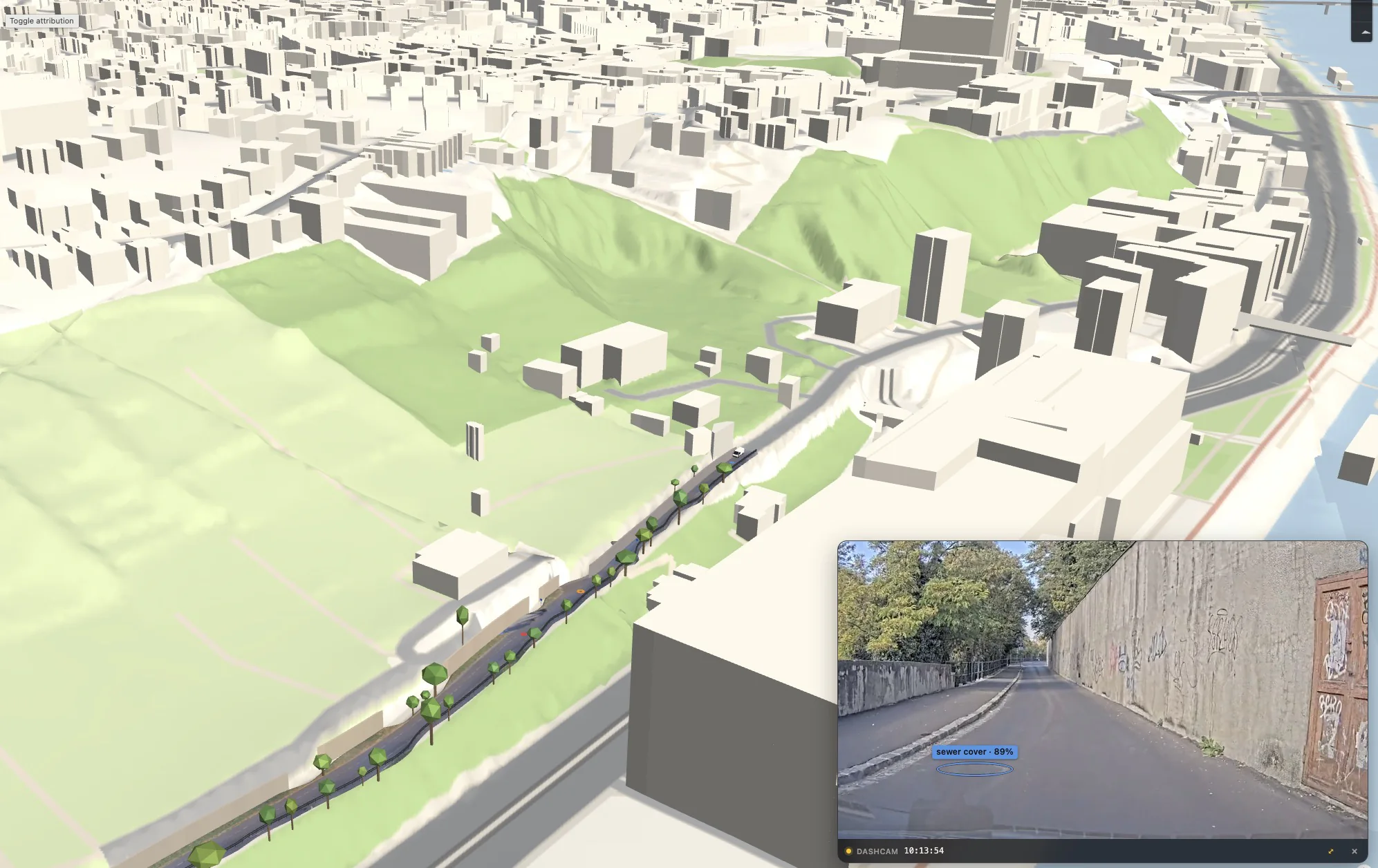
Prototype · a CAMAN finding in a 3D model